Job guide / Fire station
A Burning Issue Guide
Complete the A Burning Issue fire-station job, find the supplied plaster and paint, and separate normal objectives from fixed and reported blockers.
The short version
Install the August 13 hotfix before retrying the fire sequence: it fixed a blocker that could make the fire impossible to extinguish. A developer reply points to mission plaster and cream-colored or white paint on the wall shelf. The August 14 update also covers several lamp and cable problems, but does not clearly identify every reported hallway objective in this mission.
Last verified:
Install the official hotfix first
The August 13 developer update specifically names a fire-station progression bug that could make the fire impossible to extinguish and says it was fixed. Restart Steam, allow the download to finish and launch the updated build before repeating the blocked state. That note supports the fire fix only; it does not automatically resolve every later objective in the station.
Before you retry the mission
- Keep the last working manual save instead of overwriting it
- Capture the exact objective text and current Work Plans
- Confirm Steam has no update waiting in the download queue
- Record carried and vehicle inventory
- Test one objective step at a time after loading
Fire and extinguisher context
- Enter the objective area and read the displayed fire task.
- Locate or pick up the extinguisher made available by the scene.
- Follow the current on-screen aim and use prompts rather than relying on a fixed key from another tool.
- Cover the active fire areas and watch whether the objective changes.
- If the objective cannot advance on the updated build, preserve the save and report that exact state.
What the screenshot does and does not show
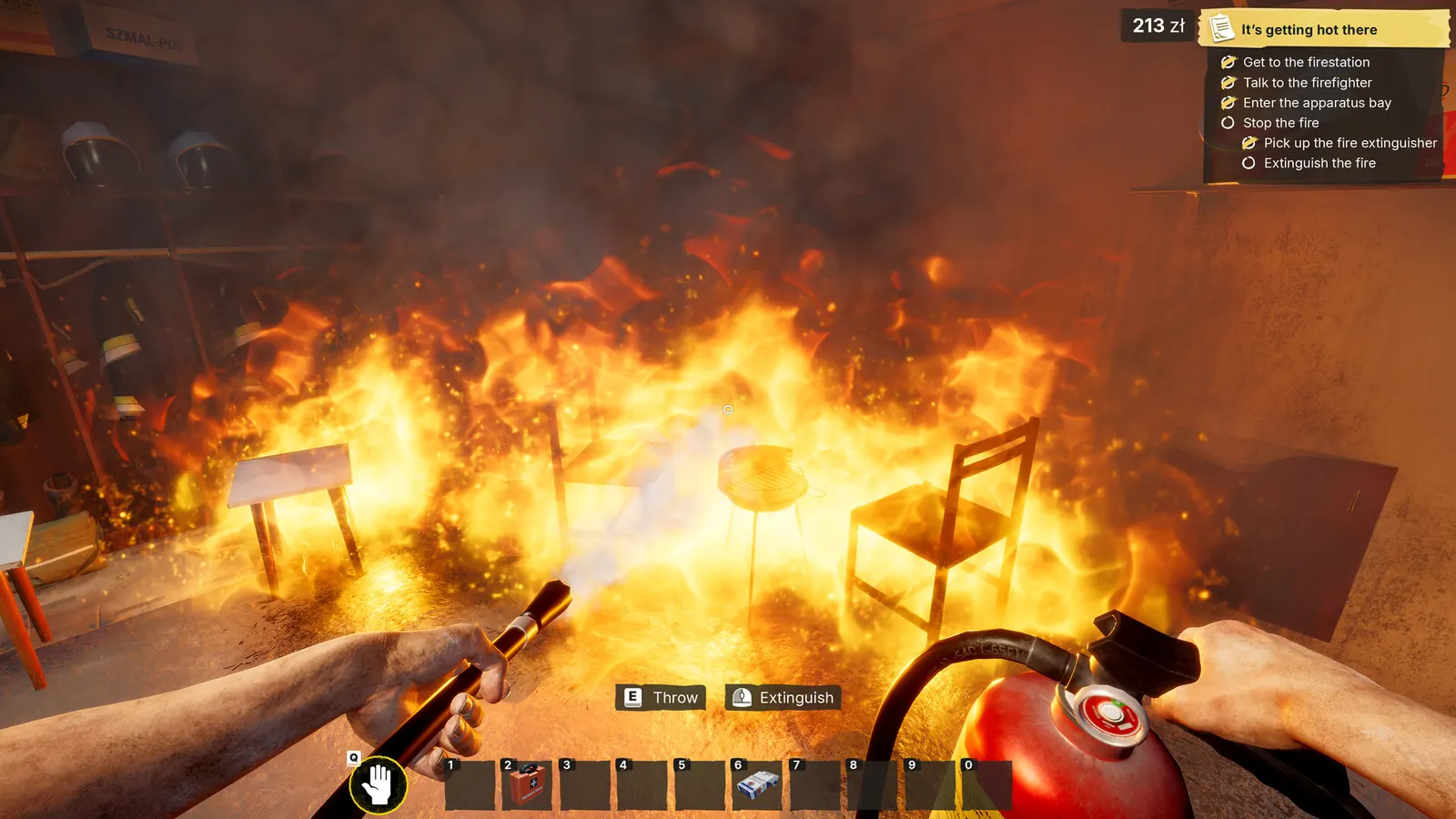
The image above is an official Steam promotional screenshot showing fire, an extinguisher and a fire-related objective panel. It is useful visual context for the mechanic, but the visible objective title differs from this page title, so the image is not used as evidence for an exact A Burning Issue walkthrough sequence.
Find the mission supplies
In a Steam reply about the fire-station job, a developer directs the player to a wall shelf containing the mission plaster as well as cream-colored and white paint. Check the work-area shelf before buying or carrying in a duplicate from an earlier contract.
- Look along the wall shelf in the work area
- Use the plaster supplied for this mission
- Check the same shelf for cream-colored and white paint
- Match the objective's requested material and color before applying it
Apply plaster until the tool releases
The same developer reply says the mission provides enough plaster. Continue applying it to the requested area until the tool comes away from the wall. When the putty knife is empty, collect more from the mission container and continue rather than assuming the supply was exhausted.
Check the newer lamp and cable fixes
The August 14 update names several fixes involving lamps, cables and object placement, but it does not unambiguously identify every reported fire-station hallway objective. If the updated build still does not register the powered lamp, preserve the save and record the exact objective text before dismantling completed work.
Safe retry and report order
- Save to a new slot if the menu is available.
- Install the current update and restart the game.
- Reload the preserved point once and repeat only the blocked action.
- Check whether Work Plans changes before altering completed work.
- Capture the version, objective and before-and-after screenshots.
- Use the Steam discussion or support channel with those details if the blocker repeats.
Update 4 names a fire-related mission; the lamp report is separate
The official changelog slightly reworks a mission named ‘It's getting hot there’. This guide does not claim it is the exact same localized route as A Burning Issue in every language. The August 31 lamp/power post remains a single community report.
Source log
Where this answer comes from
- Official fix for startup progression and the fire-station job, with more fixes stated as in progress.
- Official post-launch summary of completed fixes and work still in progress, including optimization, interactions and control remapping.
- Official launch-day changelog covering softlocks, job text and localization fixes.
- A developer points players to the mission supplies on the wall shelf and separates that confusion from a material bug.
- Current player reports. A discussion title or workaround is not treated as developer confirmation.
- community sourceSteam Bug Reports — fire-related lamp and power objectiveSingle August 31 report that a lamp or power objective in a fire-related job does not register; the exact mission-name mapping is not confirmed.
- official sourceOfficial Update 4 — August 27 changelogOfficial Update 4 notes covering save and objective-state improvements, hanging-object placement, mission changes, crash and progression fixes, collectibles, tiles, optimization and localization. The announcement does not publish a numeric version.
Found a stronger source or an outdated fact? Send Andrew a correction.