Keyboard guide / Context matters
Low-Budget Repairs Controls
A source-labeled Low-Budget Repairs keyboard guide for interaction, tools, backpack storage, dropping items, drilling and lockpicking prompts.
The short version
Low-Budget Repairs uses context-sensitive inputs, so one key can perform a different action with another object or tool equipped. Read the live prompt first and check Settings → Controls. The table below records visible official screenshot prompts and launch-day community guidance where localized prompts displayed question marks.
Last verified:
Reported PC inputs
| Input | Reported action | Use it when | Evidence |
|---|---|---|---|
| Q | Open the tool wheel | Choosing a repair tool in the reported default layout | Community launch report |
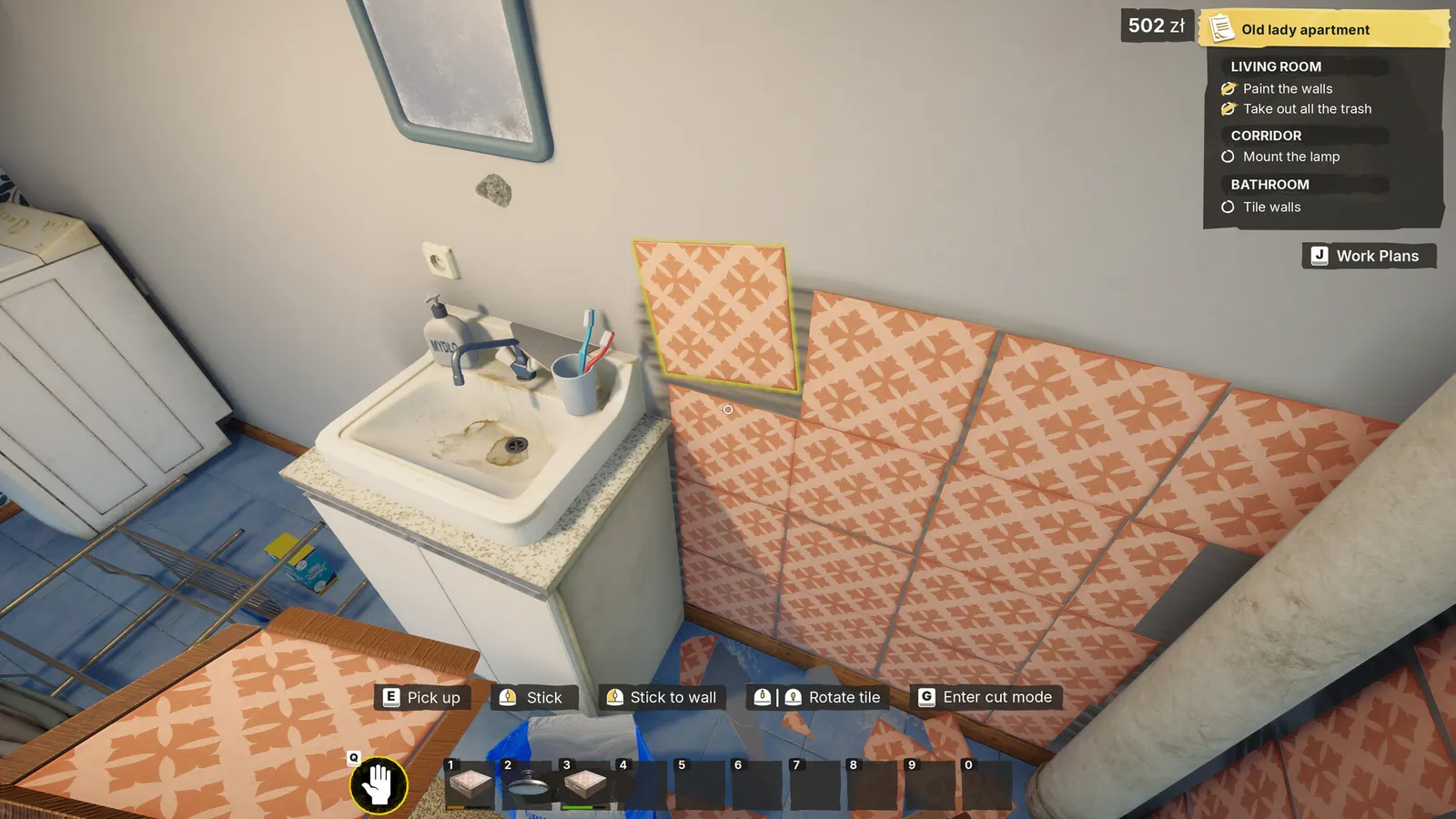
| E | Interact, pick up or drop | The live prompt offers an interaction for the targeted object | Official screenshot and community report |
| R | Store an eligible item | Moving a supported held item into the backpack | Community launch report |
| G | Throw, mark holes or enter a context action | The current item or mounting prompt explicitly offers it | Official screenshot and community report |
| Mouse buttons | Aim, place, stick or rotate | Positioning materials or objects according to the live prompt | Official Steam screenshots |
| Space | Lockpicking action | A launch-build lock prompt displays a missing or unclear key label | Community launch report |
Why the same key changes
The active object, tool and stage of a task determine which action is available. G can be described as throwing an eligible item in one context and appear as part of a mounting workflow in another. That is why the text beside the current object is more reliable than memorizing a single universal action.
Place or mount an object
- Pick up the required object and face its intended surface.
- Read the prompts that appear for that object rather than using the previous tool's controls.
- Move and align the preview until the game accepts the position.
- Use the displayed mark, place, stick or rotate action for the current stage.
- Switch to a drill or fixing tool only when the next prompt asks for it.
- Check Work Plans after the installation completes.
If a placement input does nothing
- Confirm the preview is on a compatible surface
- Move away from furniture or wall-edge collisions
- Stay within the working range of the box or installation point
- Check that the required tool is equipped
- Release any held action before trying the next stage
- Open Settings → Controls to verify a remapped input
Missing or question-mark prompts
Launch players reported localized prompts that showed a question mark instead of a useful key label. For the reported lockpicking case, Space was suggested in the Steam thread. Treat that as a community workaround for the launch state, not as an official promise that every missing prompt maps to Space.
Check bindings before assuming a bug
A key can fail because the item does not support that action, the task is waiting for a different tool, the preview is invalid or the binding was changed. Open Settings → Controls, compare the binding with the live prompt, then retry on a clear compatible surface.
Evidence boundary
This page is not an official complete key map. Official screenshots establish some visible context prompts, while the keyboard hints in the linked Steam thread are community or developer-discussion evidence from around launch. The table deliberately states the evidence for each row so future translations can preserve that distinction.
Update 4 does not announce control remapping as shipped
The changelog names localization and other fixes, but it does not say free control remapping was released. The older statement that it was being worked on remains a plan, not an available feature.
Source log
Where this answer comes from
- Official PC listing for live status, US price, features, requirements and the developer's AI disclosure.
- Community-maintained shortcuts posted while some localized prompts showed question marks. Context-sensitive actions still need the in-game prompt.
- Current player reports. A discussion title or workaround is not treated as developer confirmation.
- official sourceOfficial Update 4 — August 27 changelogOfficial Update 4 notes covering save and objective-state improvements, hanging-object placement, mission changes, crash and progression fixes, collectibles, tiles, optimization and localization. The announcement does not publish a numeric version.
Found a stronger source or an outdated fact? Send Andrew a correction.